Signing in should take seconds, yet small details trip people up more often than anything else. A saved password from an old account, a browser holding a stale session, or a keyboard layout that hides a symbol can all block the door. This page covers the routine from start to finish and the fixes that work when the screen refuses to let you through.
Wakuna Casino runs one account across slots, live tables and the sportsbook, so a single set of details opens everything. The form sits in the header of the lobby. You type the email address or username from registration, then your password.
A few practical points before you begin.
The brand site runs in English, so prompts and error messages appear in English.
Your account currency is EUR once you register from the Netherlands.
There is no phone line. Live chat is open 24/7 and an email address sits inside the account area.
If you have not created an account yet, the Registration page walks through the form field by field. After that, signing in is the only step you need each visit.
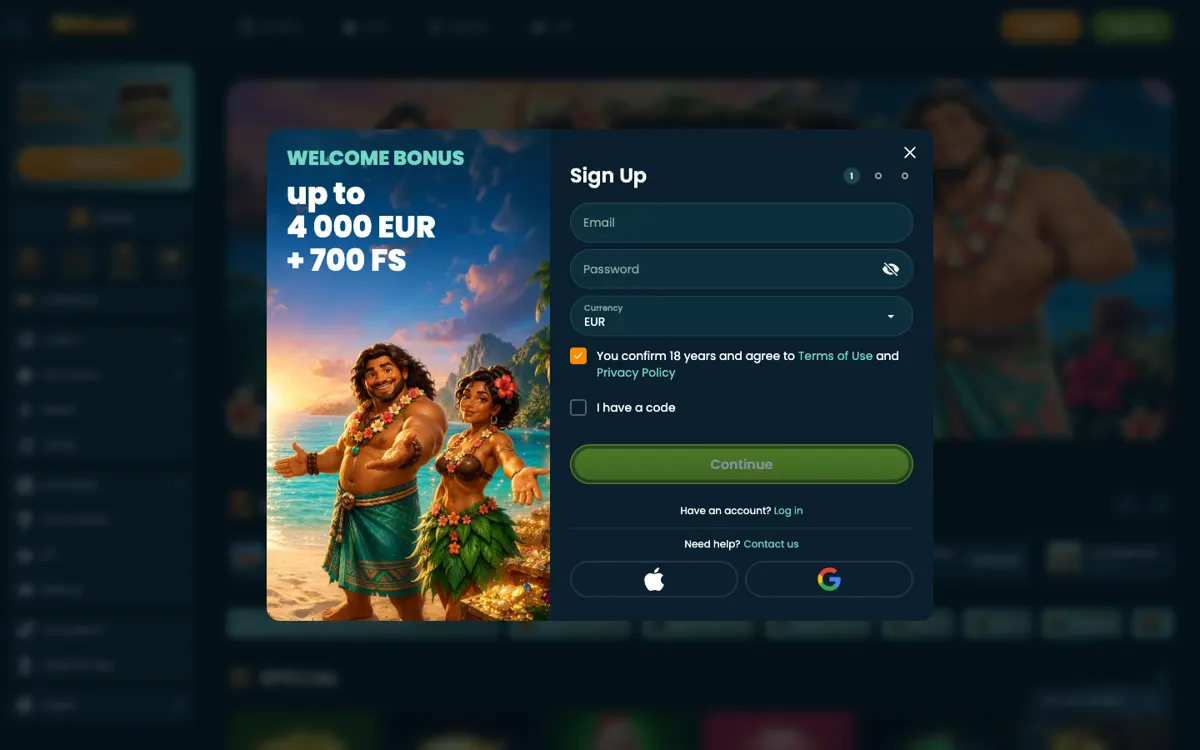
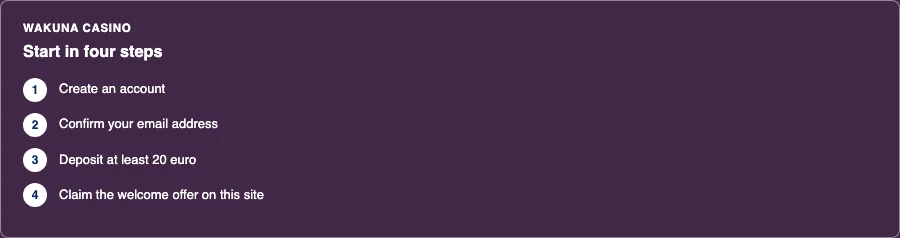
Sign-up screenStarting at Wakuna Casino in four steps
02
Signing in step by step
Open the Wakuna site in your usual browser and let the lobby load fully.
Select the login button in the header. On mobile it may hide behind a menu icon.
Type the email address or username from your registration and check for stray spaces.
Enter your password exactly as you set it. Passwords are case sensitive.
Confirm and wait for the lobby to appear with your balance in the corner.
That is the whole process. If you play on a phone, the App page explains the add-to-home-screen route, which takes about 5 MB and behaves like an app without being one.
A rejected password is the most common complaint, and it rarely means a hack or a lockout. Work through these in order.
Reset it properly
Use the forgotten-password link on the login form. The reset message goes to the email address on the account. If nothing arrives within a few minutes, check spam and promotions folders before trying again. Repeated requests can invalidate earlier links, so use the newest one only.
Check what you are actually typing
Autofill causes a large share of failures. A saved password from an old account, or a capital letter your keyboard adds automatically, will be rejected. Type it manually once to rule this out.
Browser and session issues
Clear cookies for the site, or open a private window and try there. An expired session can leave you stuck on a page that looks logged in but is not. Switching browser or device is a quick way to tell whether the problem sits with your account or your setup.
Caps Lock and keyboard layout
On a Dutch keyboard, some symbols sit in different places than on a UK layout. If your password contains punctuation, this matters more than you might expect.
04
Common errors and what they usually mean
What you see
Likely cause
What to do
Password incorrect
Typo, autofill, wrong layout
Retype manually, then reset
Account not found
Different email used at sign-up
Try the other address you own
Page will not load
Connection or browser cache
Clear cache, try another network
Form resets on submit
Session expired
Reload and sign in again
Login works, balance missing
Deposit still processing
Check transaction history
If a deposit does not appear, the Payments page covers how iDEAL-style bank transfers through ABN AMRO, ING, Rabobank, ASN Bank, SNS, RegioBank and N26 are handled, along with card, Revolut, open banking and crypto options. The minimum deposit is €20.
05
Keeping the account secure
Your login is the only thing standing between your balance and someone else. A few habits go a long way.
Use a password you do not reuse on email or banking.
Never share login details in chat, even with someone claiming to be support.
Log out on shared or public devices rather than closing the tab.
Check transaction history now and then. Anything unfamiliar deserves a live chat message.
The Is it safe? page sets out how the operator describes its own security and what that covers in practice.
06
Licensing, limits and the Dutch picture
Wakuna operates under an offshore licence from a Costa Rica-based operator, with an Anjouan Gaming Board verification seal shown on the brand site. It is not a Dutch KSA licence. That has practical consequences for anyone in the Netherlands. KSA-licensed operators must connect to CRUKS, the national self-exclusion register, and players there have a Dutch dispute route. Neither applies on a site outside the Dutch licence system.
None of that stops you playing responsibly. Set your own deposit limits, keep to them, and treat the balance as money spent rather than money owed back. The Responsible gambling page lists the tools on the account and the Dutch help organisations, including Loket Kansspel, Tactus verslavingszorg, Gokhulp and AGOG. The minimum age is 18. If play stops feeling like a choice, step away and use self-exclusion.
07
Bonus and promo code entry
If you hold a promo code, it is entered during registration or in the cashier area, never on the login screen. The welcome offer on this site is 225% up to €2,500 plus 500 free spins with code WB, minimum deposit €30, wagering 35, max bet €5, max cashout €10,000, valid 30 days. Note that e-wallets cannot claim the bonus. Full terms sit on the Bonus page, and Promo code explains where codes are accepted.
Why does my login keep failing even with the right password?
Autofill and stale browser sessions cause most of these. Clear cookies for the site, open a private window, and type the password manually. If it still fails, use the reset link and pick the newest email only.
Can I log in from more than one device?
Yes. The account is tied to your details rather than to a single device. Signing in on a laptop and a phone is normal, though logging out on shared machines is the safer habit.
Does Wakuna have a mobile app for login?
No native app. The site works as a progressive web app. Open it in your mobile browser and choose Add to Home Screen. That takes about 5 MB and gives you a home-screen icon.
What do I do if I forgot which email I registered with?
Try each address you own on the login form. If none work, contact 24/7 live chat and be ready to confirm your identity. Support cannot hand over an account to someone who cannot verify it.
Is my login protected if the site is not KSA licensed?
The operator describes its own security measures, but a site outside the Dutch licence system gives you no CRUKS protection and no Dutch dispute route. Keep your password private, watch your transaction history, and set deposit limits you can live with.